


Tiny Fax - Send Fax from Phone
4.611.01K Reviews
App Specs
- Version
- 6.6.8
- Updated On
- License
- Free
- Downloads
- 500,000+
- Developer
- TinyWork Apps
- Categories
- Business
- Platform
- Android
Screenshots
 Analysis by AppCompare
In today's fast-paced digital world, the need to send a fax might seem like a blast from the past. But guess what? It still happens, and when it does, having the right app at your fingertips is a lifesaver. That's where Tiny Fax - Send Fax from Phone steps in as your go-to solution. I took this app for a spin, and here's what I found out.
First Impressions
When I first downloaded Tiny Fax, I was struck by how user-friendly it was. The interface is clean and straightforward, which means you can dive right into sending faxes without a steep learning curve. The app’s design is minimalistic, which I appreciate because, let's be real, nobody wants to navigate through clutter when they need to get things done quickly.
Setting Up
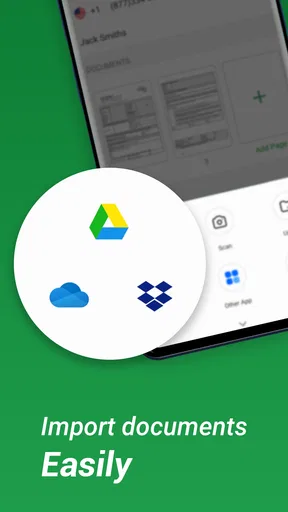
Getting started with Tiny Fax was a breeze. After downloading the app, it takes just a couple of minutes to set up your account. You can even link it with cloud services like Dropbox, Google Drive, or OneDrive. This integration is a huge plus because it means you can easily access documents from your cloud storage without any hassle.
Sending a Fax
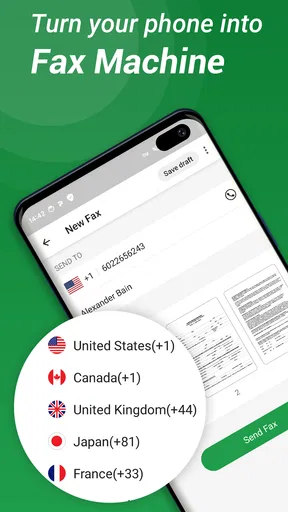
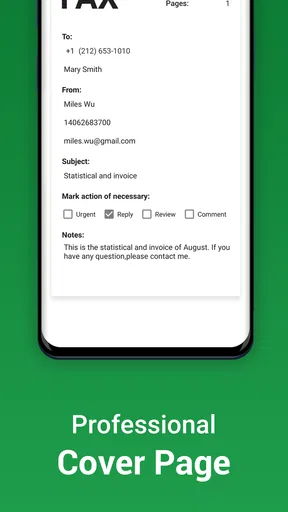
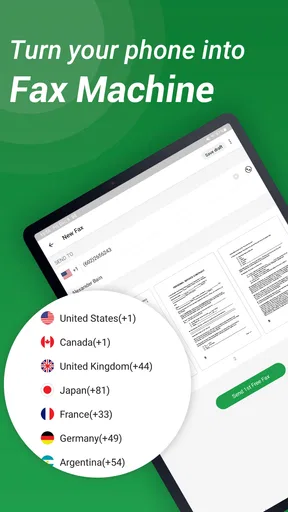
Sending a fax with this app is as simple as snapping your fingers. You just need to select the document you want to fax, either from your phone or from connected cloud storage. Then, enter the recipient's fax number and hit send. I found the whole process intuitive, and the app even offers a cover page option, which adds a professional touch to your faxes.
Features I Loved
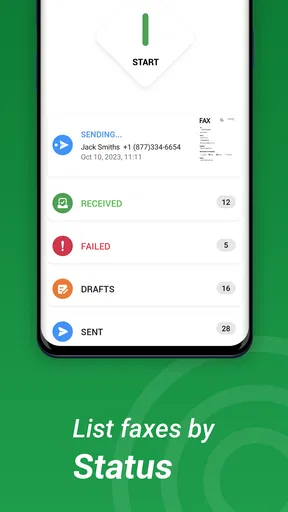
One of the standout features of Tiny Fax is its ability to support multiple file formats. Whether it’s a PDF, DOC, or an image file, this app handles it all smoothly. Plus, it stores faxes you’ve sent or received, making it easy to access past documents without rummaging through your phone.
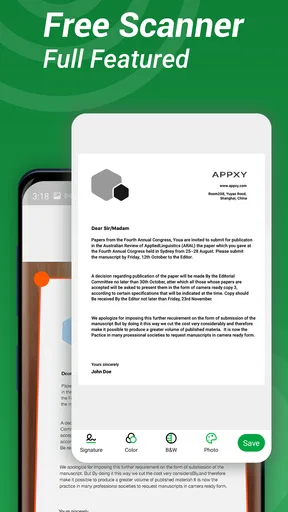
The app also lets you preview documents before you send them. This is a neat feature because it allows you to double-check everything and ensure there are no mistakes. It's like having a digital assistant giving your fax a final review.
Managing Faxes
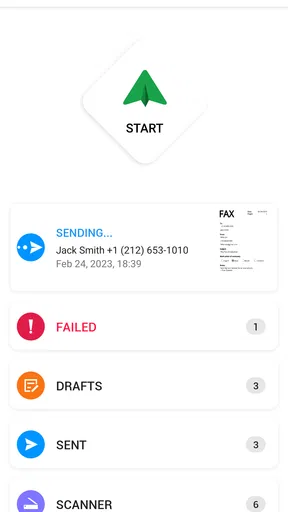
Tiny Fax doesn’t just stop at sending; it’s great for managing received faxes too. The app lets you organize faxes into folders, which is perfect for keeping personal and business documents separate. Plus, you can easily share received faxes via email or other messaging apps, which adds to its versatility.
Worth Reading Before You Choose

EA SPORTS FC Mobile 26 Is a Bigger Football Game, but It Takes Time

Flipboard Shows What News Apps Must Do Beyond the Feed

Switching to Android Auto Means Rethinking Your Driving Routine

Google Calendar Makes a Crowded Week Easier to Manage

Ludo King Makes the Most of the Minutes Between Plans

Baby Panda World Brings Quick Play to Modern Phones, but Its Game Library Feels Busy
Cost and Subscription
While Tiny Fax offers a free version, there are in-app purchases and subscription options if you need to send faxes frequently. The subscription provides a certain number of faxes per month, which is a good deal if you’re someone who relies heavily on faxing. It’s worth noting that the app also offers a pay-as-you-go option, which I found convenient for those less frequent faxing needs.
Security and Privacy
Security is a big concern when dealing with sensitive documents. Tiny Fax promises secure transmission of your documents, ensuring your data remains private and protected. This peace of mind is crucial, especially when sending confidential information.
Final Thoughts
All in all, Tiny Fax - Send Fax from Phone is a solid app for anyone needing to send or receive faxes without a dedicated fax machine. It’s got the ease of use, functionality, and flexibility that makes it a must-have tool in your digital toolbox. Whether you’re a business professional or someone who occasionally needs to send a fax, this app has you covered.
If you’re ready to ditch the clunky old fax machine and embrace a modern solution, Tiny Fax is worth checking out. It’s like carrying a fax machine in your pocket, minus the hassle!
Pros
- User-friendly interface for quick faxing.
- Supports various file formats and images.
- Secure transmission with encryption.
- No need for a physical fax machine.
- Offers cloud storage integration.
Cons
- Limited free faxes per month.
- Some features require a subscription.
- Occasional ads in the free version.
- No offline faxing capability.
- Requires internet connection to send.
FAQs for Tiny Fax - Send Fax from Phone
How easy is it to use Tiny Fax for sending faxes?
Tiny Fax is designed with user-friendliness in mind. The app features an intuitive interface that makes sending faxes straightforward. Simply upload the document you want to fax from your phone, fill in the recipient's fax number, and hit send. The process is quick, and even beginners will find it easy to navigate.
What file formats does Tiny Fax support for sending documents?
Tiny Fax supports a wide range of file formats, including PDFs, images (JPEG, PNG), Word documents, and more. This versatility ensures that users can send almost any type of document directly from their phone without needing to convert files beforehand, making it a convenient choice for various professional needs.
Is Tiny Fax a secure platform for sending sensitive documents?
Security is a priority with Tiny Fax. The app uses encryption to protect your documents during transmission, ensuring that sensitive information remains secure. However, users should always ensure they are connected to a secure Wi-Fi or mobile network when sending faxes to maintain confidentiality.
Are there any costs associated with using Tiny Fax?
Tiny Fax is a freemium app, meaning it offers basic functionalities for free, but users need to purchase credits for sending faxes. The cost depends on the number of pages and the destination. There are also subscription options that may offer better value for frequent users. Be sure to review the pricing details before proceeding.
Can I receive faxes through Tiny Fax, or is it only for sending?
Tiny Fax is primarily designed for sending faxes. Currently, the app does not support receiving faxes. Users who need to receive faxes on their mobile devices may need to explore additional services or apps that offer fax receiving capabilities.


